
How to Clean a Pool After a Dust Storm: The Ultimate Guide
There is no need to panic or drain your pool after a dust storm. First remove large debris, let fine dust settle, use vacuum-to-waste for severely cloudy water, then rebalance the water chemistry to quickly restore your pool to clarity.

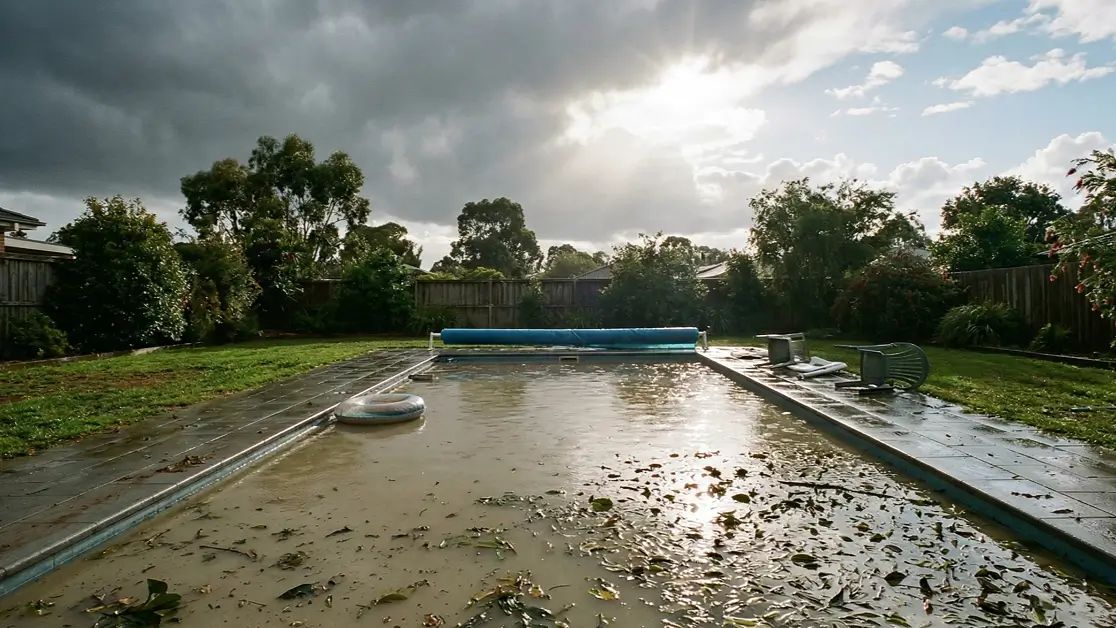
You walk outside after a storm, expecting a quick check of your pool, and instead, you are greeted by murky, brown water that looks more like a muddy dam than a backyard oasis. It is a frustrating and slightly panicked moment for any pool owner.
The good news is this: in most cases, you do not need to drain your pool. Even if your pool is dusty after a storm or completely clouded with debris, it can be restored safely with the right approach.
Knowing exactly how to clean a pool after a dust storm can save you time, water, and unnecessary stress. This guide walks you through a clear, step-by-step process to get your pool back to normal. You will learn when to vacuum versus filter, how to handle chemicals properly, and when it is safe to jump back in.
What to Do First After a Dust Storm Hits Your Pool
Before you grab a net or switch anything on, take a moment to check your pool equipment. Dust storms often come with strong winds and possible power interruptions, which can affect pumps, timers, and chlorinators.
Start by inspecting your system. Make sure there are no visible signs of damage, such as loose fittings, clogged pipes, or debris blocking the pump intake. If your power has been out, confirm that timers and automated systems are reset correctly.
It is important not to restart equipment immediately if something looks off. Running a blocked or damaged pump can lead to overheating or motor burnout, which is far more costly than cleaning up dust.
Once everything looks safe and functional, you can begin the cleaning process with confidence.
How to Clean a Pool After a Dust Storm in 7 Steps
Cleaning up dust in a pool is not just about removing what you can see. It is about following the right sequence so you do not overload your filtration system or waste time.
Step 1 — Remove Leaves, Branches, and Large Debris
Begin with the obvious debris. Use a leaf rake or skimmer to remove leaves, twigs, and larger particles floating on the surface or sitting at the bottom.
Avoid using a vacuum at this stage. Large debris can clog hoses and strain your equipment. Clearing this first makes everything else easier.
Step 2 — Empty the Skimmer and Pump Baskets
Once the big debris is gone, check your skimmer and pump baskets. These will likely be full after a storm.
Emptying them ensures proper water circulation and prevents unnecessary strain on your pump. Good circulation is essential for the next steps.
Step 3 — Brush the Walls, Steps, and Floor
Dust does not just settle on the bottom. It clings to walls, steps, and waterlines.
Use a pool brush to scrub all surfaces thoroughly. This loosens the dust and allows it to either settle to the floor or be picked up by your filtration system.
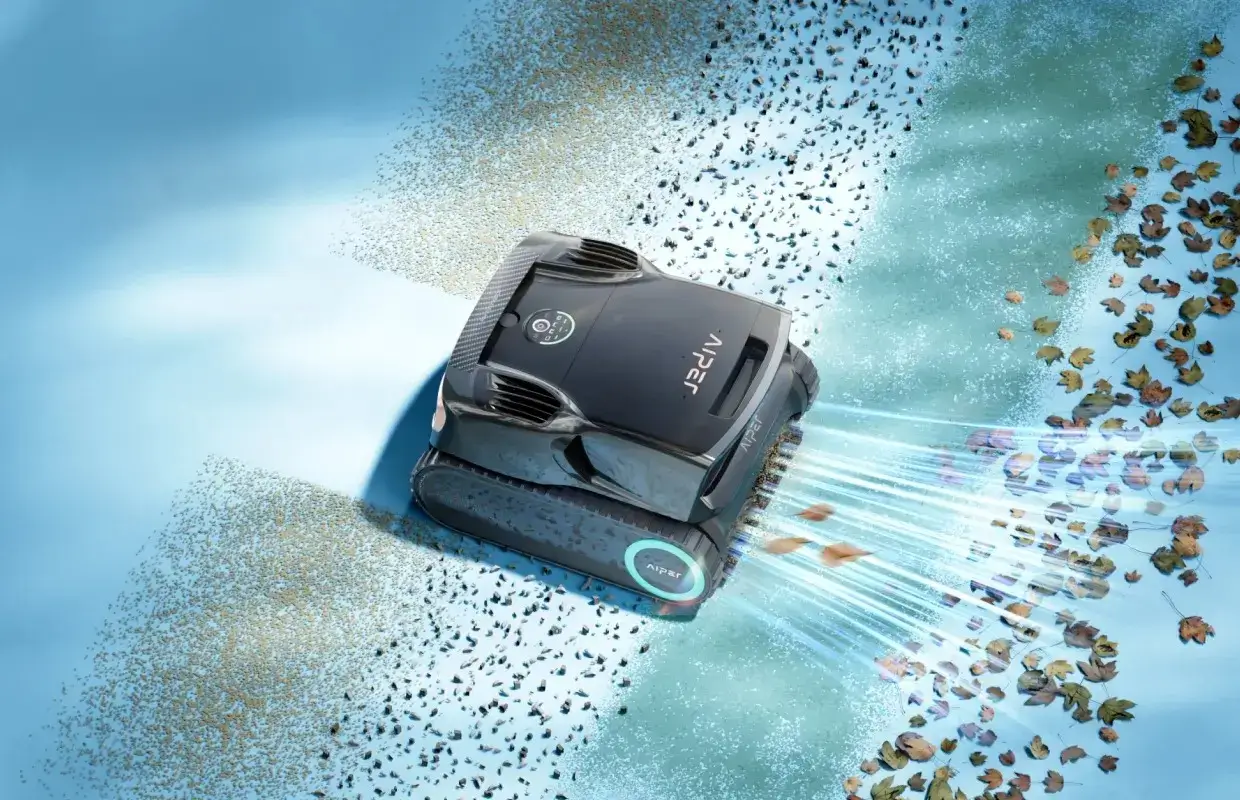
If you want to reduce manual effort, tools like the Aiper Scuba X1 Pro Max can help automate this process. It is particularly useful for covering large areas and reducing the physical strain of scrubbing.
Step 4 — Let Heavy Dust Settle If Needed
If your pool has turned into brown pool water after a storm, resist the urge to run the pump immediately.
Turning the pump off for several hours allows fine dust and silt to settle at the bottom. This makes it much easier to remove in one go rather than trying to filter it while it is suspended.
Step 5 — Vacuum the Pool the Right Way
This step depends on how severe the dust buildup is.
For light dust, a robotic cleaner or standard vacuum works well. For moderate dust, vacuum slowly to avoid stirring particles back into the water.
If your pool is heavily contaminated or looks muddy, the best approach is to vacuum pool to waste. This bypasses the filter and removes dirty water directly, preventing your system from clogging.
Step 6 — Clean or Backwash the Filter
After vacuuming, your filter will be under pressure from all the debris it has handled.
If you have a sand or DE filter, backwashing is necessary to flush out trapped dirt. Cartridge filters should be removed and rinsed thoroughly with a hose.
If you are unsure about the process, you can follow this guide on how to backwash a sand filter.
Keeping your filter clean ensures it can continue to handle fine particles effectively.
Step 7 — Test and Rebalance the Water
Dust storms do more than just dirty your pool. They also disrupt water chemistry.
Dust and organic debris consume chlorine and can shift your pH levels. After cleaning, test your water and adjust as needed.
According to CDC guidelines for healthy swimming, maintaining proper chlorine and pH levels is essential for safe pool use, especially after environmental contamination.
Balance your water before swimming to ensure it is both clean and safe.
The Fastest Way to Get Dust Out of Your Pool
| SITUATION | BEST APPROACH |
|---|---|
| Floating dust | Skim surface and run filter |
| Settled dust | Vacuum slowly or use a robot |
| Brown/muddy pool | Vacuum to waste after settling |
This quick guide helps you choose the right method based on what you are dealing with.
Should You Shock Your Pool After a Dust Storm
It might be tempting to reach straight for pool shock, but this should not be your first step.
If your pool is full of dust or mud, shocking it immediately will not fix the problem. In fact, it can waste chemicals because chlorine gets consumed by debris rather than sanitising the water.
Always complete physical cleaning first. Once the water is clearer and debris is removed, then you can consider shocking if needed.
Clarifier vs. Flocculant
Clarifiers and flocculants both help clear cloudy water, but they work differently.
A clarifier binds tiny particles together so your filter can catch them more easily. It is best for mildly cloudy water.
A flocculant, on the other hand, causes particles to clump and sink to the bottom. This is ideal for dusty pool recovery when fine silt is causing persistent cloudiness. After using floc, you will need to vacuum the waste to remove the settled debris.
Vacuum to Waste vs. Robot Cleaner vs. Manual Vacuum
Each cleaning method has its place depending on the condition of your pool.
Robotic cleaners are great for ongoing maintenance and light debris. They save time and require minimal effort.
Manual vacuums give you more control and are useful for targeted cleaning, especially in smaller areas.
Vacuuming to waste is the best option for heavy contamination. It removes dirty water entirely, preventing your filter from becoming overwhelmed.
Choosing the right method helps you clean more efficiently and protect your equipment.
How Long Does It Take to Clean a Pool After a Dust Storm
The time required depends on how severe the storm was.
Light dust can often be cleared within the same day. Moderate buildup may take overnight filtration and cleaning. Heavily affected pools with brown or muddy water can take 24 to 48 hours or more to fully recover.
Patience is key. Rushing the process can lead to incomplete cleaning or additional issues.
How to Prevent a Dusty Pool Next Time
While you cannot stop a dust storm, you can reduce its impact.
Using a pool cover during high winds can block a significant amount of debris. Clearing loose items from around your pool area also helps prevent additional contamination.
Regularly cleaning your filter and maintaining proper water balance ensures your system is ready to handle sudden changes. Running a robotic cleaner during windy periods can also help manage debris before it builds up.
Final Takeaway
Dealing with a pool dusty after storm conditions can feel overwhelming, but it is manageable with the right approach.
Focus on removing debris first, allowing dust to settle, and using the correct vacuum method. Follow up by cleaning your filter and rebalancing your water chemistry.
Most importantly, avoid draining your pool unless absolutely necessary. With patience and the right steps, your pool can return to clear, safe conditions without major hassle.
FAQ
Should I vacuum my pool to waste after a dust storm?
Yes, if your pool has heavy dust, mud, or flocculant buildup. This method removes debris without clogging your filter.
Run your filter continuously for 24 to 48 hours after initial cleaning to help clear any remaining fine particles.
Do I need to drain my pool?
In most cases, no. Draining is only necessary if there is structural damage or severe contamination that cannot be resolved through cleaning.
Can a robotic pool cleaner remove dust and silt?
Yes, robotic cleaners work well for light to moderate dust. However, for heavy mud or thick silt, manual vacuuming to waste is more effective.
When is it safe to swim again?
You can swim once the water is clear enough to see the bottom and the chemical levels are properly balanced.